Command a Squad Squad Collection: Switch Squads and Get New Units
Where to see and switch between your squads in Command a Squad, and how lobby summons paid with gold bring new units into your collection.
Quick answer
To see and switch squads, walk to the Command Post hut flying a blue flag and press [E] to open the CHOOSE YOUR SQUAD panel, then pick the squad you want to lead. New units enter your collection through summon pulls in the lobby, which you pay for with gold.
- Switching: Command Post hut with the blue flag → press [E] → pick a squad. The panel then shows that squad's name and member count, e.g. 1ST STORM... with 6/6 members.
- New units: earn gold, summon in the lobby, then equip what you pull by swapping slots in your lineup. The tutorial alone pays 500 gold at completion.
How to see and switch between your squads
Squad switching happens at the Command Post — the hut flying a blue flag. In the training mission, yellow ground arrows lead you back to it. The whole switch takes one interaction:
- Head for the Command Post hut with the blue flag.
- Press [E] to open squad selection — the panel is headed “CHOOSE YOUR SQUAD”.
- Pick the squad you want to lead.
- Confirm the panel — it now names your squad and its member count, for example 1ST STORM... with 6/6 members.
The change takes effect at once: picking Storm Troopers in the tutorial updated the objective to “Lead your Storm Troopers forward”, and that was the squad that charged on the next order. These labels come from a pre-release test build of the training mission (TRAINING GROUND – DEFENDERS OF THE LINE), so wording in the live game may differ slightly.
What your collection starts with
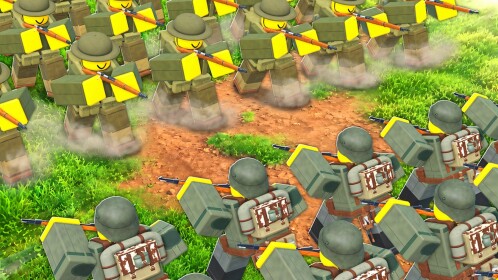
The training mission spawns you as an officer leading four infantry squad members, and the Command Post panel already holds more than that one squad — Storm Troopers are available to take over. Squads are not interchangeable skins: Storm Troopers charge with automatic weapons and clear trenches at close range, which is why the tutorial hands them to you for the assault across no-man's-land. Knowing what each squad is for matters more as the collection grows — the squad controls page covers leading squads in battle, and squad composition covers how different roles fit into one lineup.
How new units enter your collection
New squads and units arrive through the lobby. In the lobby you can summon — pull — for units, and gold is the currency that funds those pulls.
From gold to a stronger lineup
- 1
Earn gold
The tutorial completion screen pays 500 gold, and lobby quests such as Claiming Ground pay gold in the lobby.
- 2
Summon in the lobby
One recorded session saved up enough for a 10 pull and ran it.
- 3
Units join your collection
The 10 pull returned duplicate infantry plus coins, and the next pull turned up a four-star unit.
- 4
Equip into your lineup
Swap the new unit into an active slot in the lineup.
Gold comes from playing. Completing the tutorial ends on a “TRAINING COMPLETE / + 500 gold” screen, and lobby quests pay out as well — one banner reads “Quest complete: Claiming Ground – Claim 80 gold in the lobby”. The gold guide collects the earning routes in more detail.
That recorded session shows the shape of the system: pulls can return units you already own alongside coins, and rarer results do appear. It did not establish pull rates, so treat any specific odds as unknown — but pulls are repeatable, so every batch of gold you save becomes more chances.
A pulled unit is not automatically in your active squad. Equipping it works by swapping slots in the lineup: the player with the fresh four-star unit benched an infantry squad to make room, ran a second medic, added engineers, and doubled up on machine guns. If you are weighing what deserves a slot, the which units to use guide and the squad composition page above break those choices down.
Collecting is a core feature
The official Roblox page describes Command a Squad — by Wagyu Games — as “a WW1 commanding game, where you control a squad of soldiers in action packed team-vs-team matches”, and its advertised feature list runs: Recruit soldiers, Artillery and Tanks!, Capture points, Command your squad, and Collect & upgrade your squads. The loop above is that promise in action: the recorded pulls turned up infantry and a four-star unit, and artillery and tanks are advertised as recruitable too. To see everything there is to collect, check the units list, and for the recruiting side in depth, see how to recruit units.
Related Guides
How to Recruit Units
How recruiting works, what each pull gives you, and how new units land in your collection.
Squad Composition: Troop Roles to Cover
Which troop types a squad needs covered, so your mix of infantry, specialists and heavies holds objectives instead of bleeding out.
Which Units to Use per Objective
Pick the right unit for each objective, from holding capture points to pushing trenches, without guessing at roles.
Squad Controls: Direct & Switch Your Squad
Every confirmed squad control, so you can direct soldiers, switch squads at the Command Post and keep orders flowing mid-fight.